The Question Behind SnapCentral

What do makers need to know before they press Print?

A great printer is only the beginning. The next challenge is finding complete, dependable information when it is needed.

Founding ContributorSpecial thanks to IK3D, creator of the Cute Dragon, for providing the first model used to demonstrate and help shape SnapCentral’s verification and education system.

Snapmaker Space helps makers find and print U1 models; SnapCentral helps ensure they have the complete, consistent, verified information and education needed to print them successfully.

What SnapCentral Is—and What It Isn’t
Questions We Are Trying to Answer

Have you ever wondered...

  • Will this model print successfully on my printer?
  • Which filament, nozzle, orientation, and supports should I use?
  • Which slicer settings matter—and why?
  • How much filament and time should I plan for?
  • Why did my print fail, and what should I change?
  • Where should I begin, and what should I learn next?
The Problem

Why is finding an answer still so hard?

  • Useful guidance is scattered across model pages, videos, forums, and documentation.
  • Recommendations conflict without explaining when each one applies.
  • Listings may omit settings, filament use, print time, orientation, or results.
  • Incomplete, outdated, or incorrect advice can look as credible as tested guidance.
The Goal

One connected source for better printing

SnapCentral brings complete model information, real print evidence, troubleshooting, and related education together around the model being printed.

What Would You Prefer?

Three listings. Very different levels of confidence.

These fictional examples show how the information provided can change what a maker knows before printing.

Example 1

Description only

“Easy print. No supports.”

  • Printer and nozzle unknown
  • Settings and filament missing
  • No verified result
Example 2

Some settings

“PLA, 0.20 mm layers, 15% infill.”

  • Exact profile unknown
  • Time and quantity missing
  • No real print evidence
SnapCard

A complete print plan

  • Printer, nozzle, filament, and quantities
  • Settings, orientation, supports, and time
  • Real photographs, results, and limitations
Help Shape SnapCentral

What do you wish someone had answered sooner?

What problem, missing explanation, tutorial, comparison, or tool would have saved you time, filament, or frustration?

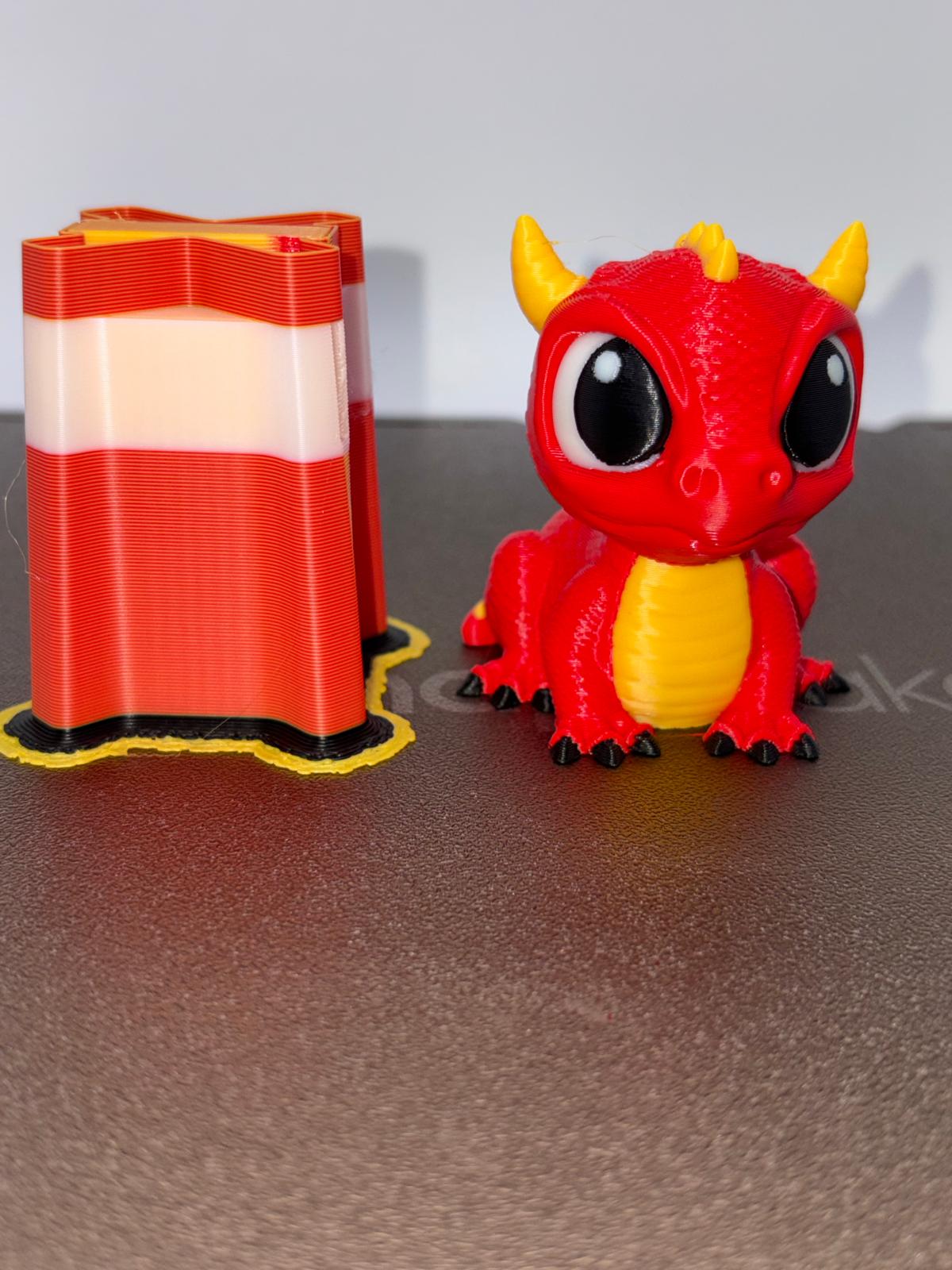
Verified four-color Cute Dragon print beside its wipe tower
A real U1 print—not a rendering.
Real Print, Real Findings

What we tested and learned

Tested
IK3D's four-color Cute Dragon on a Snapmaker U1.
Result
A complete, intact print with excellent overall quality and minor imperfections.
Changed
A controlled filament swap helped isolate a Toolhead #4 alignment issue from the filament itself.
Still verifying
The process needs more models, printers, and community results before broad conclusions are made.

See the Cute Dragon SnapCard Read the troubleshooting example →

Project Review

Can this approach help more makers?

Review the proposal, then tell us what is useful, what is missing, and what should be developed next.